How to build a construction schedule from a template in 10 minutes
Building a schedule from scratch takes hours. Starting from a template takes minutes. Here's how it works in LookAhead, from picking a template to printing the finished schedule. Every template works the same way, whether you build apartments, homes, remodels or commercial space.
1. Start from a template
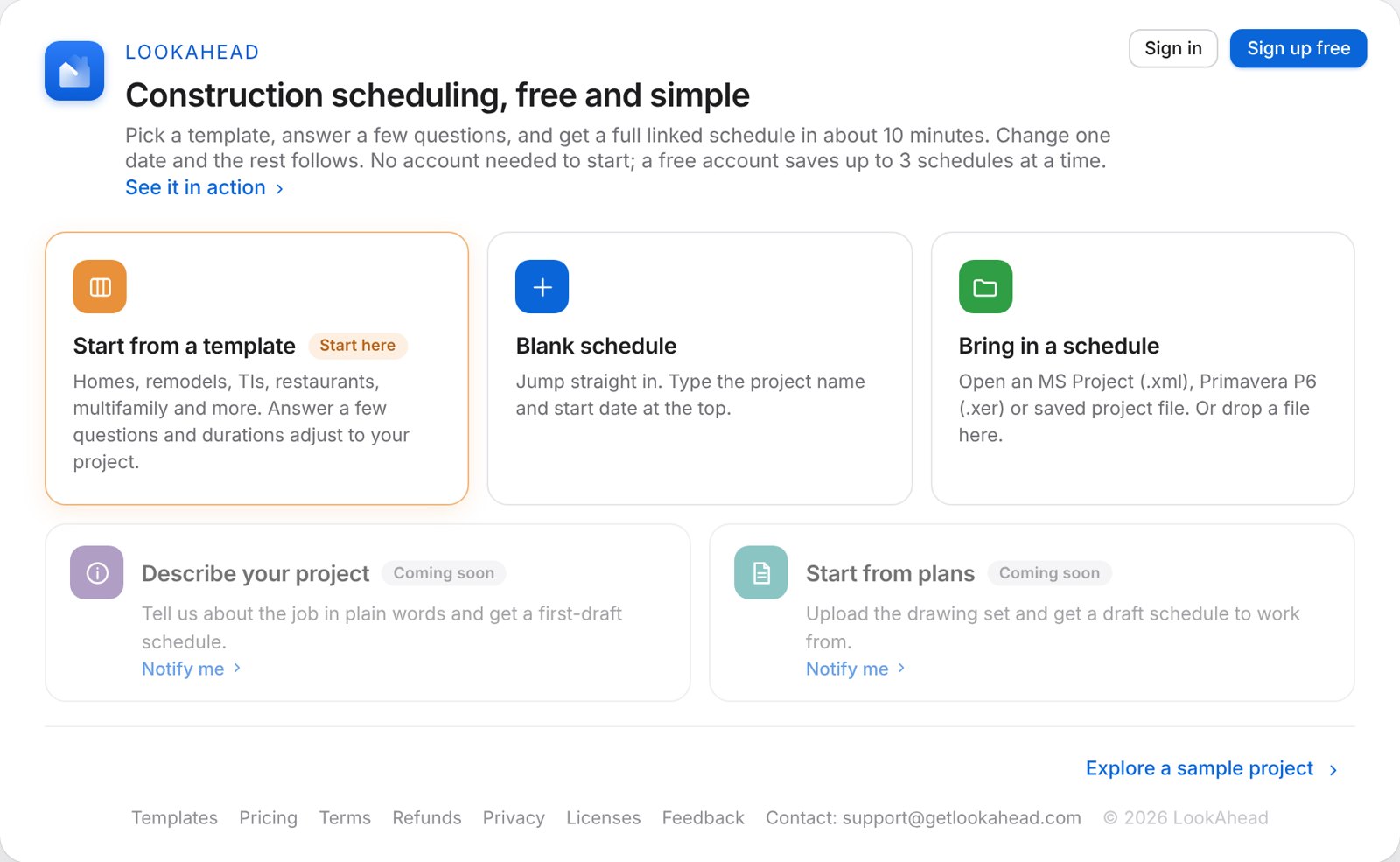
Open LookAhead and choose Start from a template. You don't need an account to start; you only need one to save, print or share.
2. Pick your type of job
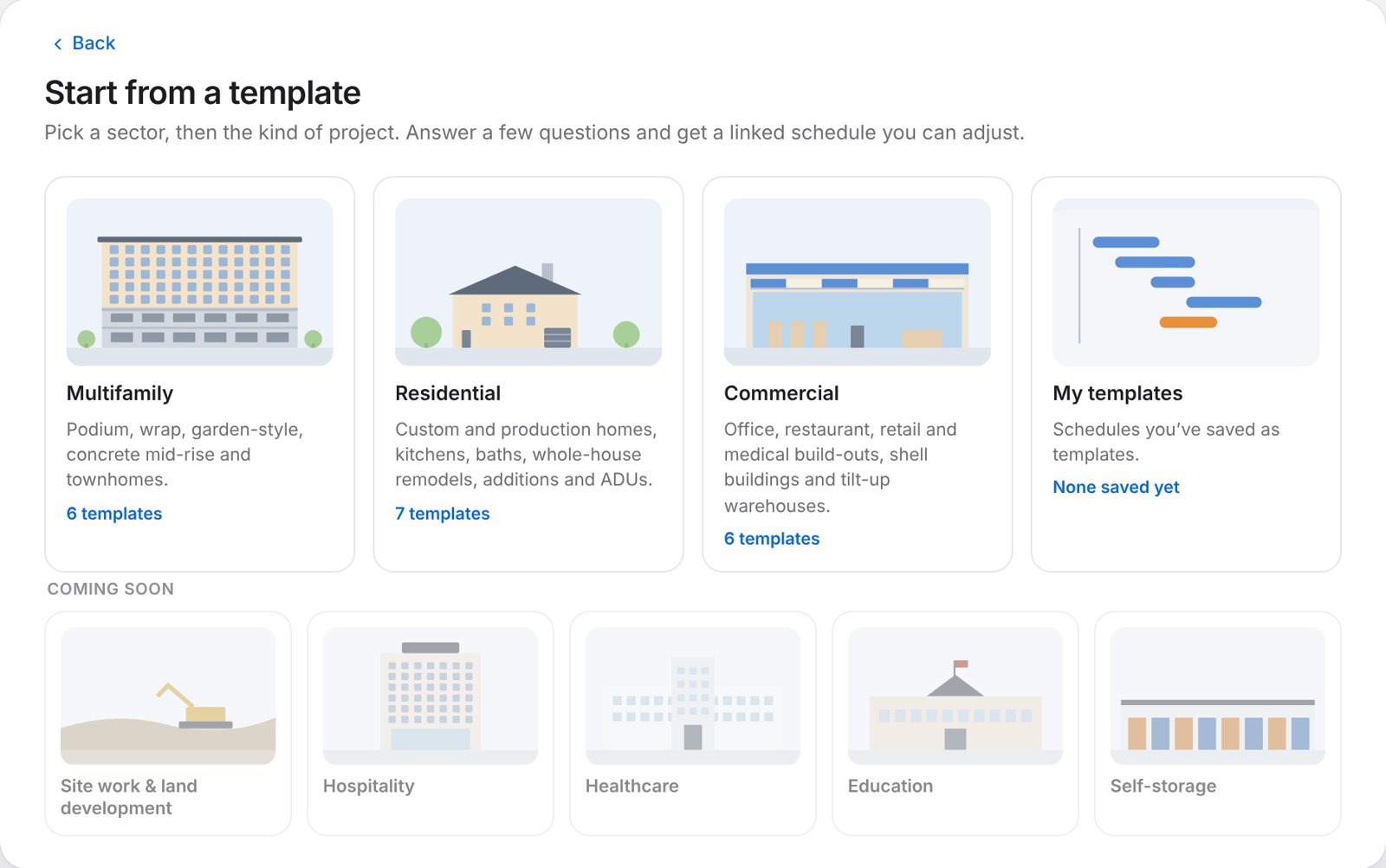
Templates are grouped by sector: multifamily, residential and commercial. Pick the one closest to your job. It doesn't have to be exact; everything is editable afterward. Schedules you've saved as your own templates show up here too.
3. Answer a few questions
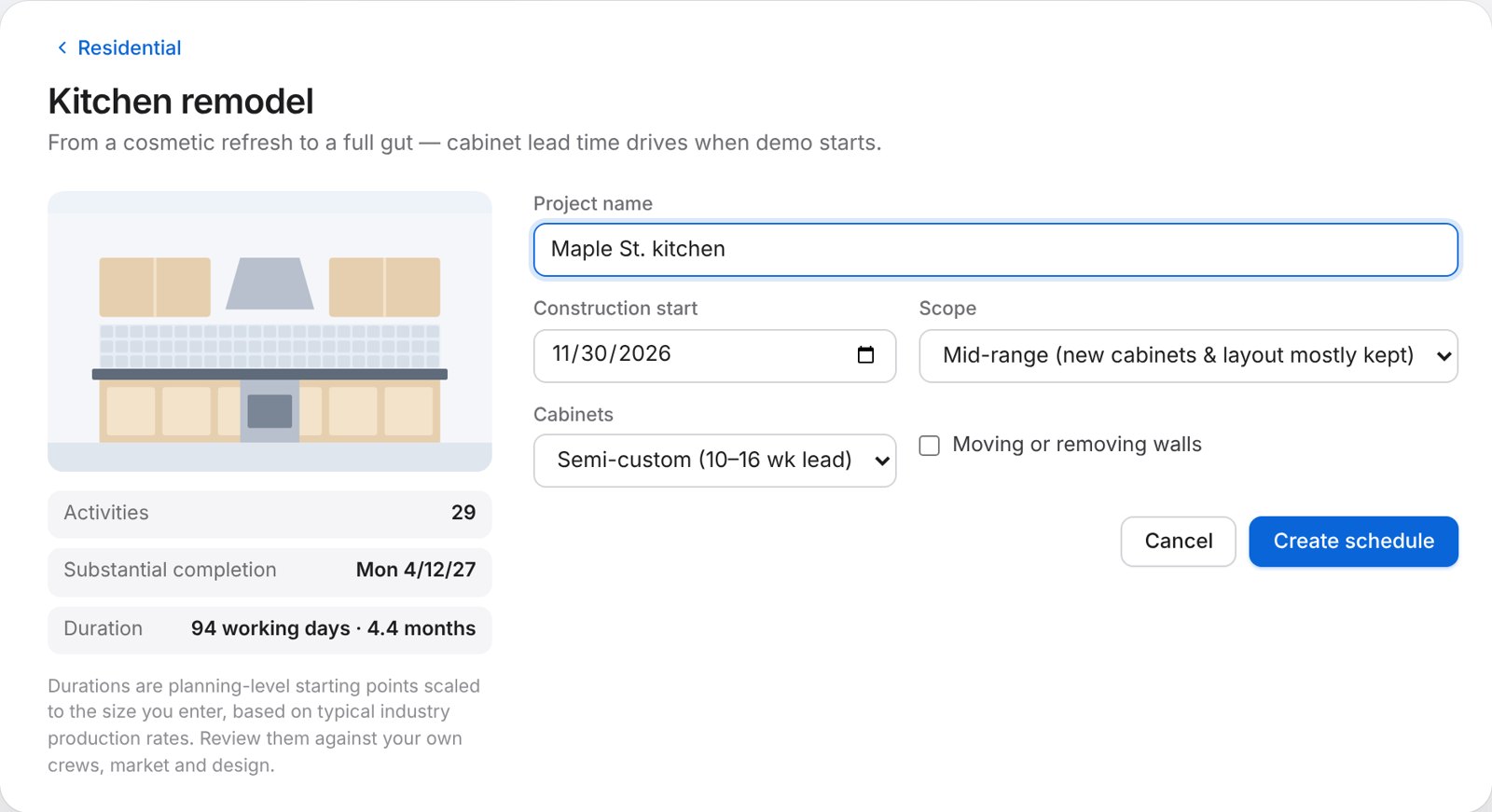
Each template asks the handful of questions that drive its durations: units and floors for an apartment building, square feet and finish level for a tenant improvement, scope and cabinet type for a kitchen. Set the project name and start date. The summary on the left updates as you change answers, so you can see the activity count, completion date and duration before you create anything.
4. Review the schedule
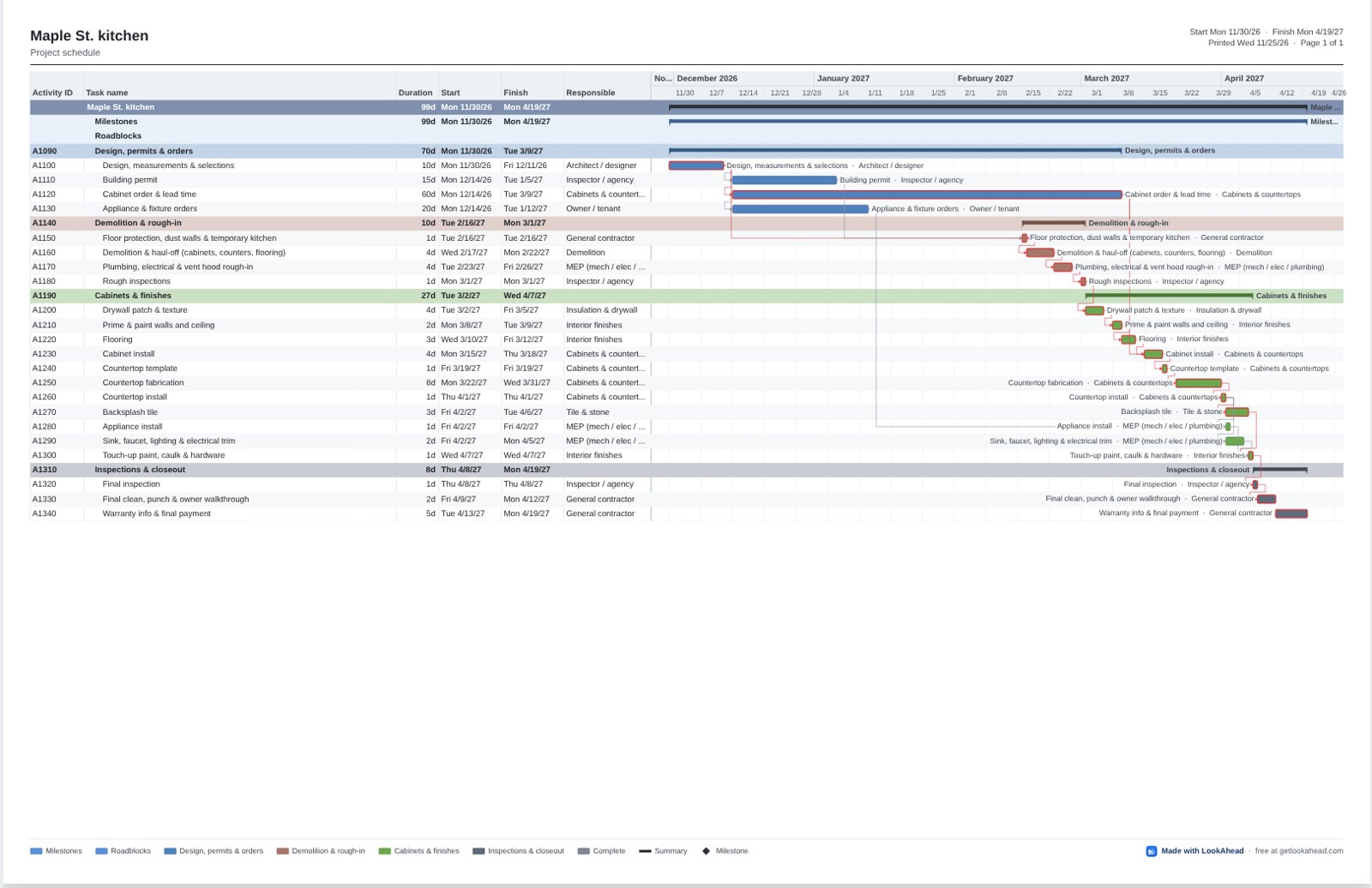
You get a full schedule: phases, activities, durations, a responsible party on every line, and every activity linked to the work it depends on. The critical path is outlined in red. Change any duration or date and everything linked to it moves with it. Add, delete or reorder tasks the way you would in a spreadsheet.
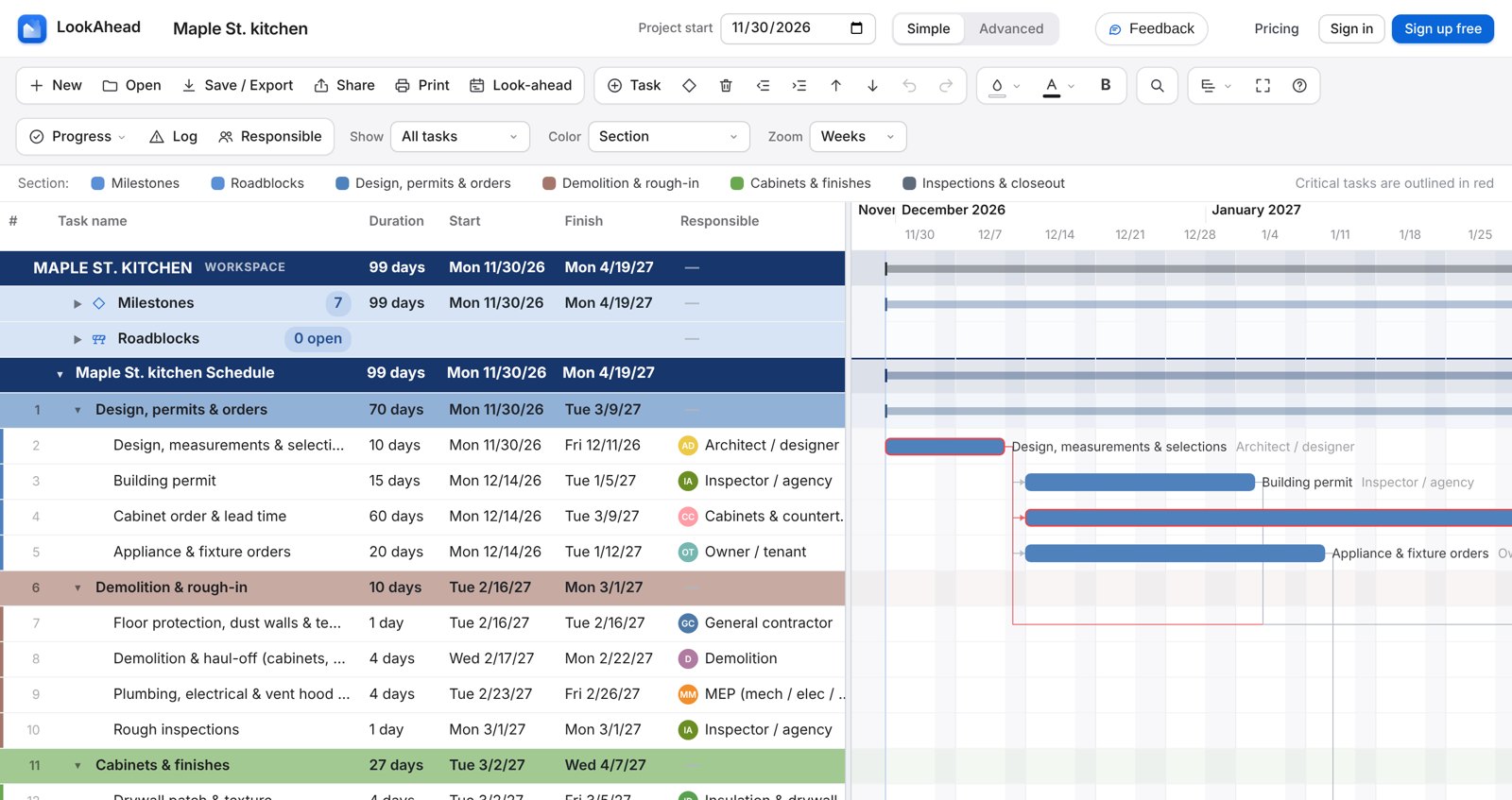
Durations are planning-level starting points based on typical production rates. Spend a few minutes checking them against how your own crews work.
5. Print it or share it
Print a clean PDF on anything from letter size up to ARCH D, with your logo in the header. Download it for Excel, or send subs and owners a view-only link that always shows your latest version.
Tip: once a schedule fits the way you build, save it as your own template. Your next job starts from your durations, not ours. To keep the schedule current week to week, see how to update your schedule and send subs a weekly look-ahead.
Pick a template, answer a few questions and have a linked schedule in about 10 minutes. No account needed to start; a free account saves up to three schedules.
Start a schedule free